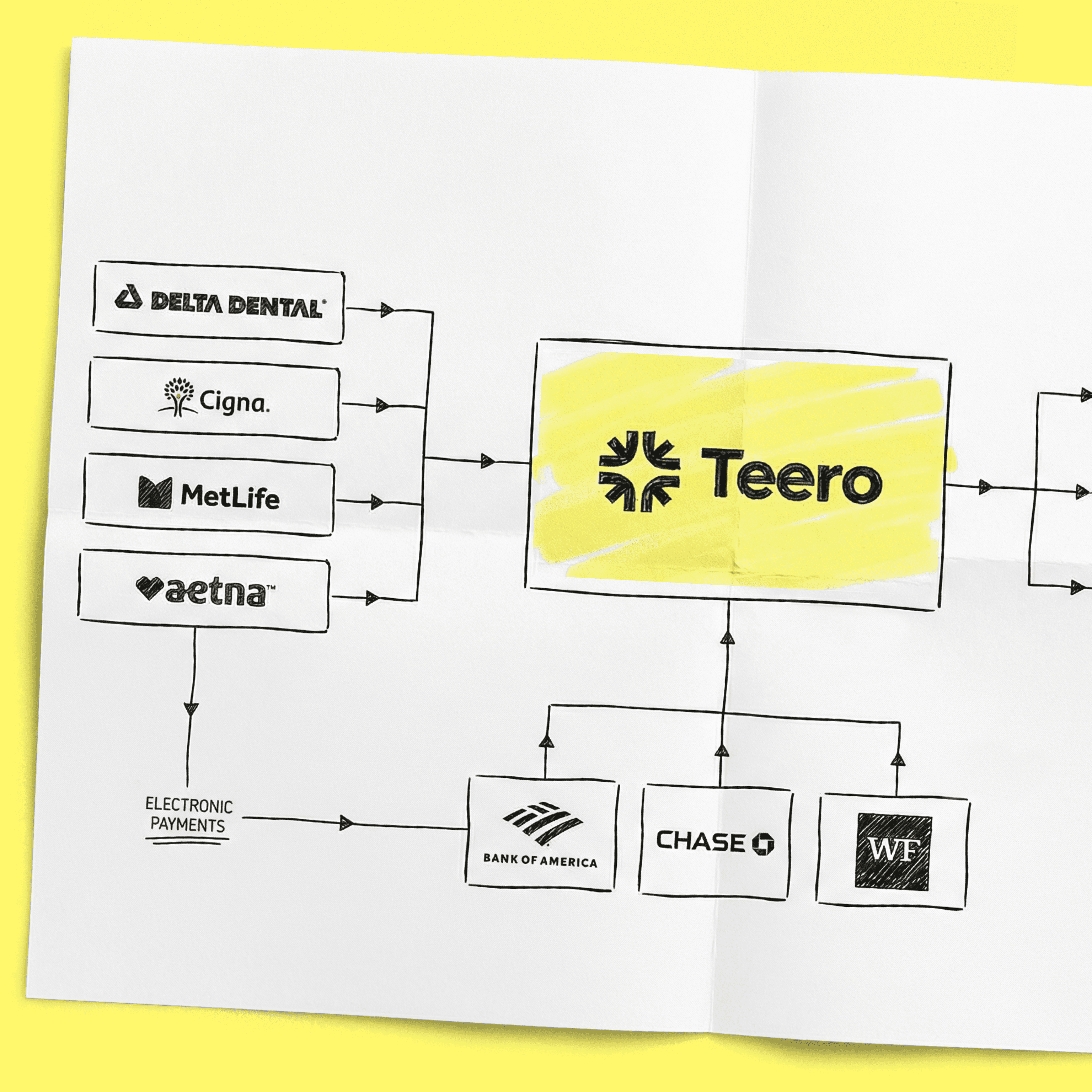
Let’s break down what an efficient dental payment posting process actually looks like—and how to build one that works in the real world.
Why Payment Posting Is a Bottleneck for Dental Offices
Most practices don’t set out to create a messy workflow. It just happens over time.
Common issues include:
Payments coming from multiple sources (insurance checks, EFTs, patient payments)
Inconsistent processes depending on who’s working that day
Delays in receiving ERAs or EOBs
Manual entry errors
Lack of clear ownership
When posting is delayed or inconsistent, you get:
Increased AR days
More denied or underpaid claims going unnoticed
Frustrated patients and staff
In short, poor posting workflows create both financial and operational drag.
Want this handled for you? Teero’s dental payment posting service posts every EOB, ERA, check and virtual card payment into your PMS each business day, then works the claims over 30 days old and the denials. You pay 2% of what we post and nothing for what we don’t.
What an Efficient Payment Posting Workflow Looks Like
At its core, a strong workflow is:
Standardized: The process doesn’t change based on the person
Timely: Payments are posted daily (or near real-time)
Accurate: Adjustments and write-offs are applied correctly
Traceable: Every payment can be tracked and audited
Scalable: It works even when volume increases
The goal isn’t just speed—it’s consistency and visibility.
Step-by-Step Dental Payment Posting Workflow
1. Centralize All Payment Sources
Start by making sure every payment flows into a single, trackable system.
Typical sources include:
Insurance EFTs
Insurance paper checks
Patient payments (in-office, online, over the phone)
Lockbox services
Actionable tip:
Create a daily “payment intake checklist” so nothing gets missed. Every payment should be logged before posting begins.
2. Match Payments to Claims
Before posting, each payment must be tied to the correct claim or patient account.
This is where many errors happen, especially with:
Partial payments
Bundled procedures
Secondary insurance
Best practices:
Use claim numbers whenever possible
Verify patient details before posting
Flag mismatches immediately instead of guessing
Guessing here leads to hours of cleanup later.
3. Post Insurance Payments Accurately
Insurance posting is more complex than it looks. It involves:
Recording allowed amounts
Applying contractual adjustments
Identifying underpayments or denials
Key focus areas:
Always compare paid vs. expected amounts
Use adjustment codes correctly
Don’t auto-post without review unless your system is highly reliable
Actionable tip:
Create a “variance threshold” (e.g., $10–$20). Any payment outside that range should be flagged for review.
4. Handle Denials and Exceptions Immediately
One of the biggest workflow mistakes is separating posting from follow-up.
If a denial or underpayment is identified during posting, it should not disappear into a backlog.
Instead:
Tag or route it immediately to AR follow-up
Add notes explaining the issue
Assign ownership
This prevents revenue from slipping through the cracks.
5. Post Patient Payments in Real Time
Patient payments are often simpler—but still prone to errors.
Common issues:
Payments applied to the wrong provider or date of service
Duplicate entries
Missing payment method details
Best practices:
Post patient payments the same day they’re received
Reconcile with your payment processor daily
Standardize how notes are entered
6. Reconcile Daily Totals
Every efficient workflow includes a reconciliation step.
At the end of each day:
Total posted payments should match bank deposits and EFT reports
Variances should be identified immediately
Skipping this step leads to long-term discrepancies that are hard to unwind.
Actionable tip:
Assign one person responsible for daily reconciliation to avoid confusion.
7. Document and Standardize the Process
If your workflow only exists in someone’s head, it will break.
Create a documented SOP that includes:
Step-by-step posting instructions
How to handle edge cases (secondary insurance, reversals, refunds)
Naming conventions for notes
Escalation rules
This is critical for training new hires and maintaining consistency.
Common Pain Points (and How to Fix Them)
“We’re Always Behind on Posting”
Root cause: Staffing constraints or inefficient processes
Fix:
Batch smaller tasks (e.g., patient payments) throughout the day
Consider outsourcing or remote billing support
Automate ERA posting where possible
“Our AR Keeps Growing”
Root cause: Underpayments and denials aren’t caught early
Fix:
Build review checkpoints into posting
Train staff to identify payer patterns
“Too Many Errors”
Root cause: Lack of standardization and training
Fix:
Create clear SOPs
Use checklists
Audit a small sample of postings weekly
“We Don’t Know Where Things Go Wrong”
Root cause: No visibility or tracking
Fix:
Add reporting around posting accuracy and timing
Track turnaround time from payment receipt to posting
Use dashboards if available
The Role of Automation in Payment Posting
Automation can dramatically improve efficiency—but only if implemented thoughtfully.
Where Automation Helps Most
ERA auto-posting
Payment matching
Flagging variances
Reporting and reconciliation
Where You Still Need Humans
Exception handling
Complex insurance scenarios
Quality control
Important:
Automation should reduce repetitive work, not eliminate oversight.
When to Consider Outsourcing Payment Posting
For many practices, especially growing DSOs or understaffed offices, outsourcing can be a practical solution.
It makes sense when:
Your team is overwhelmed
Posting delays are affecting cash flow
You’re struggling to hire experienced billing staff
A remote dental billing partner can:
Ensure consistent daily posting
Reduce errors
Free up your front office team
The key is choosing a partner that understands dental-specific workflows—not just general medical billing.
Building a Workflow That Scales
As your practice grows, your posting workflow needs to keep up.
To make it scalable:
Avoid relying on one “expert” employee
Use standardized processes across locations
Invest in systems that integrate with your PMS
Regularly review and optimize your workflow
Small inefficiencies become big problems at scale.
Final Thoughts
Payment posting might not be the most visible part of your operation—but it’s one of the most important.
A well-designed workflow doesn’t just improve accuracy. It stabilizes your revenue cycle, reduces stress on your team, and gives you clearer insight into your financial health.
If your current process feels reactive, inconsistent, or overly manual, that’s a signal it’s time to redesign it. Start with standardization, build in accountability, and use automation where it makes sense.
The result isn’t just cleaner books—it’s a more resilient, efficient dental practice.

